
Inspect a database (advanced)
phpMyAdmin is a database administration tool for MySQL/MariaDB. It is usually unnecessary for static sites and can damage a live application if misused.
phpMyAdmin is a database administration tool for MySQL/MariaDB. It is usually unnecessary for static sites and can damage a live application if misused.
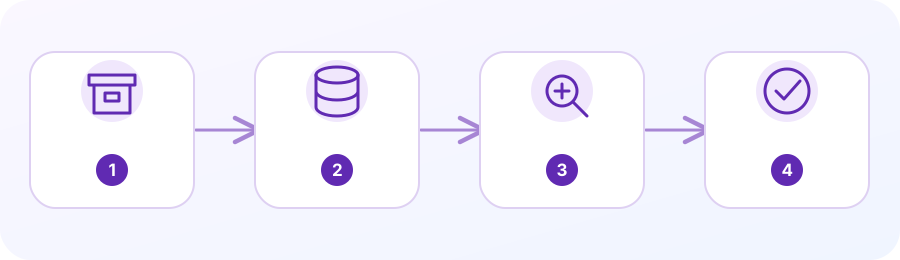
1. Confirm this tool is needed
Use phpMyAdmin only when your website relies on a MySQL/MariaDB database and you are authorized to inspect or maintain it.
2. Take a database backup
Use an approved export or provider backup method. Verify the correct database and safe restore procedure before making changes.
3. Open through cPanel
Choose phpMyAdmin under Databases if your provider exposes it. Do not open a third-party database link from an unsolicited message.
4. Inspect carefully
Identify the exact database and table. Read-only review is safer than executing SQL statements or bulk actions on production data.
5. Change only with a rollback plan
Imports, DROP, DELETE and updates can overwrite or permanently lose records. Prefer a tested staging copy and an authorized change window.
Confirm that a database tool is needed
phpMyAdmin is for administering MySQL or MariaDB databases. A static website may not use a database at all. WordPress and other dynamic applications use one for posts, settings, users or orders. If the task is only to update an image or text file, use the appropriate website editor or File Manager rather than changing database records.
Only sign in through the cPanel account and database assignment you are authorized to access. The database name may include a cPanel account prefix and may not match the domain. If the application configuration identifies the database, do not expose or paste the configuration file because it can contain database credentials.
Back up and identify the target
Before editing, create a current database export using the provider’s approved method and save it outside the public website directory. If the site also has files that must remain consistent with the database, back up both at a coordinated time. Record the database name and the reason for the proposed change; a backup from another site or another date may not be a safe rollback.
Open phpMyAdmin and select the exact database in the left navigation. Check its tables and prefix against the application documentation or host instructions. Do not guess based on a familiar table name; one cPanel account can hold databases for several sites or staging copies. If the selected database is unclear, stop and ask before running a command.
Inspect first; edit only with a specific plan
For a first check, browse the relevant table and inspect a small number of rows. Use Search or a carefully scoped query only when you know the table and the field being examined. Read query text before execution and avoid changing, deleting or exporting personal records you do not need.
Never run copied SQL against a production database without understanding every clause, selecting the correct database, and confirming a tested backup. UPDATE and DELETE commands can affect many rows if they lack a correct condition; a schema change can break an application even when no rows are lost. Ask an experienced administrator or the hosting provider to review risky database work.
Verify the application after database work
After an approved change, reload the relevant page and test the user journey that reads the changed data. Check application error logs if the site displays a blank page or database connection error. Do not assume a successful import or green phpMyAdmin message means the website is healthy.
If the site breaks, stop writing to the database and restore using the provider’s procedure or the verified export. Restoring can overwrite newer information, so coordinate with the person who owns the site data. For orders, customer records, payments or other sensitive data, do not share full database dumps in ordinary support messages.
Questions people often ask
Do all websites need phpMyAdmin?
No. Static websites do not require a database. Use phpMyAdmin only when the site uses MySQL/MariaDB and the task concerns that database.
Can I use SQL I found online?
Do not run it until an authorized person understands the command, target database, affected rows and rollback plan. A query can permanently change production data.
Planning a business service? Here is a relevant next step.
Ask about available service scope →Official cPanel references (third-party documentation):